WARDOGS Crash Fixes — Every Startup Problem and Its Fix
Published 2026-09-08Updated 2026-09-195 min read
WARDOGS crashing at launch, freezing on load, or throwing DirectX errors? The four known causes — IME injection, kernel isolation, runtime libraries and the Elytra anti-cheat.
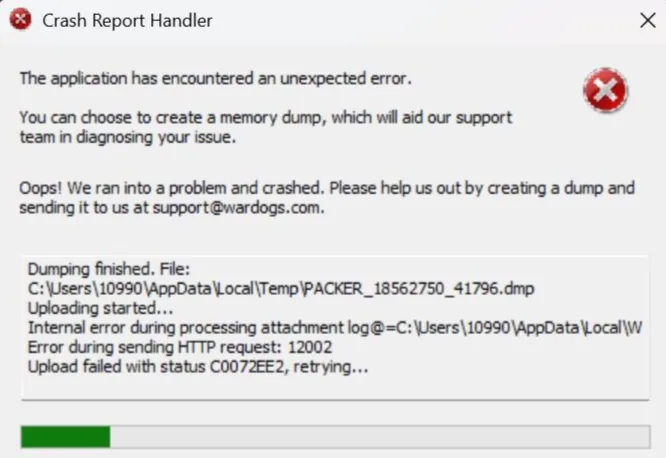
Early Access WARDOGS has known startup problems: instant crashes, load-screen freezes and anti-cheat errors. Four causes cover the overwhelming majority.
1. Instant Crash at Launch — Your Input Method
Symptom: the game window dies before the menu loads, or crashes seconds after reaching it.
The number-one culprit is a surprising one: third-party input methods (Sogou, Baidu, QQ and friends). They inject an IME module into the game process at startup, and WARDOGS' Unreal Engine build is hostile to that injection.
- Switch to the Windows built-in US English keyboard before launching.
- Stay on English input for the whole session.
- Still crashing? Uninstall the third-party IME entirely and try again.
Community testing puts this simple switch at the top of the success list.
2. Load Screen Freeze or Repeating Error Popups — Kernel Isolation
Symptom: the game opens but the loading bar stalls, or error windows cycle.
Windows' Core Isolation / Memory Integrity blocks the game's low-level process calls:
- Open Windows Security → search Device Security.
- Open Core Isolation details.
- Turn Memory Integrity off, reboot, test.
It slightly lowers system protection — you can re-enable it after playing. If the freeze persists, conflicting third-party anti-cheats are next: Riot Vanguard, Perfect World, 5E — uninstall them and reboot before blaming anything else.
3. DirectX / Visual C++ Errors — Broken Runtimes
Symptom: "DirectX Error", "Microsoft Visual C++ Runtime Error", or a missing-DLL message.
- Run a runtime repair tool to fix missing or damaged DirectX and VC++ components, then reboot.
- Or manually install the 2015–2022 Visual C++ redistributables and current DirectX.
- Finish with Steam → right-click WARDOGS → Properties → Local Files → Verify integrity of game files.
4. Error 0x000e7 — Damaged Elytra Anti-Cheat
Symptom: error code 0x000e7 at launch.
The bundled Elytra anti-cheat files are damaged:
- Open the WARDOGS install folder and delete the Elytra folder completely.
- Steam → Properties → Local Files → Verify integrity — Steam re-downloads the anti-cheat.
- Restart the game.
If nothing here helps, our anti-cheat error guide goes deeper on Elytra specifically, and the error code fixes cover the numbered codes.
Related: anticheat error fix · error 114 fix · best graphics settings