WARDOGS FOB Building Guide — Hammers, Storage and Your First Base
Published 2026-09-14Updated 2026-09-194 min read
How to buy, place and run a WARDOGS FOB: what's inside the box, the hammer tiers, and what can actually be built there.
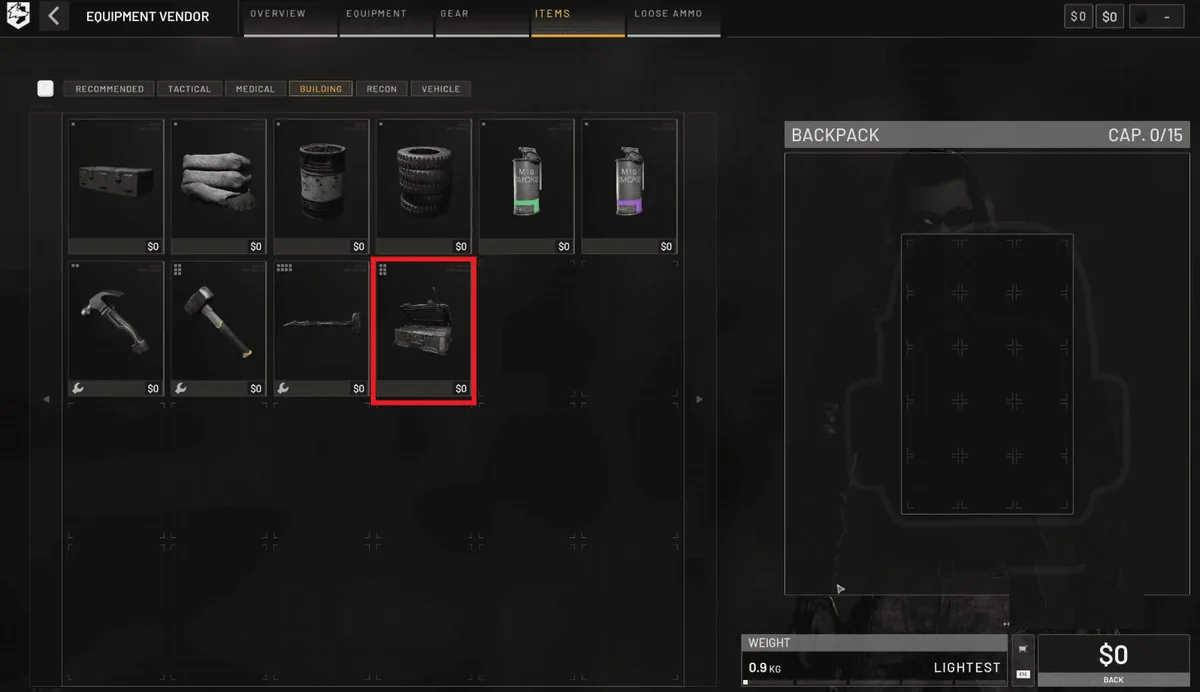
An FOB (Forward Operating Base) is a mobile shipping container. Plant it, and a square of your faction's color appears on the map — the only place where fortifications and buildables can be constructed.
Getting One
- Buy the FOB from the vendor's equipment tab.
- It fits in your backpack, or — better — press B and stow it in a vehicle's inventory tab for transport.
- To plant it, it must be on your character: drag it to your hotbar and deploy it at the chosen spot. No backpack, no FOB deployment.
What's in the Box
A freshly placed FOB comes pre-loaded, and this matters for every new player:
- 1,250 construction materials plus 100 units of every other resource
- A Small Hammer and Medium Hammer — so you never need to buy your first hammers
- Bandages and flares (flares request resources or mark helicopter landing zones on the map)
- While holding a hammer, your material count lives in the bottom-right of the HUD
The Hammer Tiers
- Small Hammer: basic stuff — wire, sandbags, hedgehogs.
- Medium Hammer: the real fortification line.
- Large Hammer (Support level 7): stone walls, oil derricks and fixed gun emplacements. Before it unlocks, you cannot place the heavy blueprints at all.
Building Inside the Zone
Everything — walls, towers, mortars, AA — must sit inside the FOB's colored radius. Construction consumes the FOB's stored materials, which is why the logistics transport loop exists: a starved FOB is a dead FOB. For placement strategy and defensive layouts, continue to FOB uses explained and FOB defense layout.
Related: fob uses explained · fob defense layout · base building basics