WARDOGS Helicopter Controls — Keyboard Setup That Actually Works
Published 2026-09-11Updated 2026-09-194 min read
A GTA-style WARDOGS helicopter keybind layout: collective on W/S, cyclic on the numpad, and the settings to change before you fly.
Flying transports is the best-paying job in WARDOGS, and the default helicopter keys are the reason most players quit it. This layout, borrowed from the community, makes the aircraft feel like a GTA helicopter again. (No numpad on your keyboard? Stick with the defaults and skip the cyclic remap.)
Settings to Change First
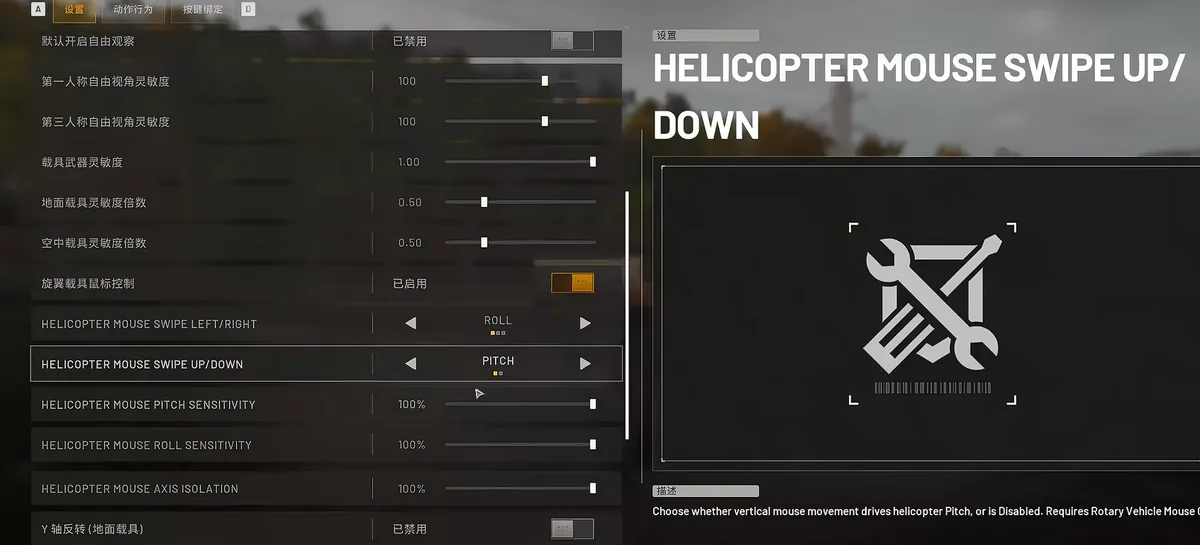
- Widen the third-person camera — you need ground reference for landings.
- Enable mouse vehicle control.
- In the vehicle options, drag the two assist sliders fully to the left.
- Max the mouse sensitivity — helicopters need aggressive inputs.
- Invert Y-axis to taste. Inverted: pull the mouse back and the nose rises, push forward and it dips.
The Remap
- Collective (throttle): W and S — climb and descend on the keys your left hand already lives on.
- Cyclic (pitch/roll): numpad —
- 8: nose down, fly forward
- 5: nose up, brake and stop
- 4: roll left / strafe left
- 6: roll right / strafe right
Basic Flight Pattern
W to spool up and lift, S to descend. A/D swings your heading. Tap 8 to pitch forward and travel; tap 5 to arrest motion — don't hold them. WARDOGS helicopters have no auto-leveling: hold a lean too long and you tip past the recovery point and spiral in. The same rule governs 4/6 — short taps to establish a strafe angle, then release and let it ride.
Once the keys feel natural, the money skills (landings, readouts, range practice) are in our helicopter flight guide — read it before you buy your first airframe.
Related: helicopter flying guide · vehicles database · best starting class