WARDOGS Best Graphics Settings — See Far, Run Fast
Published 2026-09-11Updated 2026-09-193 min read
The competitive WARDOGS settings preset: what to turn off, why Global Illumination kills frame rates, and DLSS Quality over performance modes.
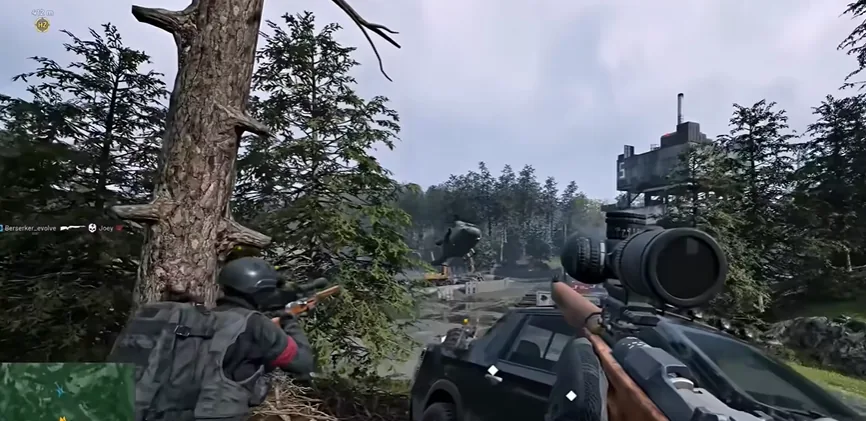
A 100-player large-map FPS lives or dies on long-range visibility and stable frame times. This preset is tuned for exactly that.
Display Basics
- Display mode: Fullscreen or Borderless
- Resolution: your monitor's native — never lower it
- V-Sync: off
- Frame cap: match your monitor's refresh rate (144 on a 144 Hz screen)
- Nvidia Reflex: on — mandatory for Nvidia cards, cuts input latency
- Upscaling (DLSS/FSR): Quality. Balanced only on weak GPUs. Performance and Ultra-Performance turn distant enemies into soup — never worth it here.
Quality Preset
| Setting | Value | Why |
|---|---|---|
| View distance | High | The single most important setting in long-range fights |
| Mesh detail | Medium | |
| Shading | Low | |
| Global illumination | Off | The biggest frame-rate killer in the game |
| Shadows | Low | |
| Reflections | Low | |
| Effects | Medium | |
| Particle rate | Low | |
| Post-processing | Low | |
| Motion blur | Off | |
| Depth of field | Off | |
| Lens flare / Bloom | Off | |
| PiP scope | Off | Free performance, cleaner scopes |
Three Ready-Made Presets
- Low-end (GTX 1060/1660): the table above, texture quality Medium, DLSS Quality.
- Mid (RTX 3060/4060): textures High, mesh High, everything else unchanged.
- High-end (RTX 4070 Ti and up): view distance, textures and mesh all High; Global Illumination can come back on if you insist — keep the post-processing off regardless.
Related: system requirements · crash fixes · error 114 fix