WARDOGS How to Invite Friends — Squad Codes and Steam Join

Published 2026-09-15Updated 2026-09-193 min read

Two ways to get friends into your WARDOGS squad: the Steam right-click join, and the in-match squad invite code.
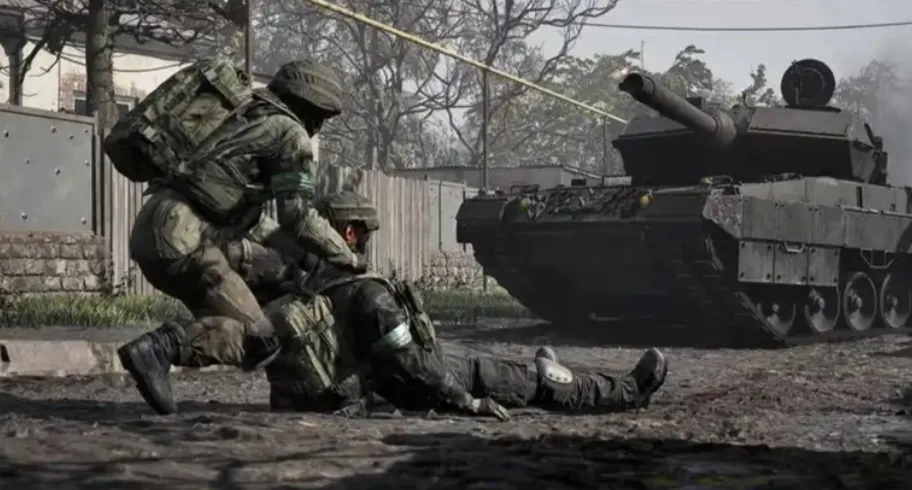
Create the squad, lock it, share the code — nobody queues alone.

There is no premade lobby in front of WARDOGS matches — inviting happens through two doors: Steam's friend list and the in-match squad panel.

Method 1: Steam Right-Click Join

  1. One friend enters a server and picks your faction.
  2. They press ESC and use Create Squad; lock it so strangers can't wander in.
  3. Everyone else right-clicks that friend in the Steam friends list and hits Join Game — with a server slot free, they land directly in the match and can be pulled into the squad.

Method 2: The In-Match Squad Code

For players already in the same server:

  1. Everyone aligns on the same server and faction first.
  2. The leader presses ESC, opens the squad panel, and creates a squad — the panel generates an invite code.
  3. Friends type the code into their squad panel to join.
  4. Squadmates appear as gold markers on the map and share squad voice chat automatically.

Housekeeping

  • Squad codes fail on a single wrong character; if joins keep failing, have the leader recreate the squad for a fresh code.
  • Locking the squad after your group is in stops matchmaking from filling your seats with solo players.
  • Squads are match-scoped — after the round, recreate rather than searching for the old one. For lobby-side setup before you queue, see how to team up.

Related Guides


WARDOGS Medic Leveling Guide — XP Rates and the Smoke LoopWARDOGS Logistics and Building — The Complete System OverviewWARDOGS How to Win More — Zone Control, Towers and Squad PlayBest Starting Class in WARDOGS — What New Players Should PickWARDOGS Support Fast Leveling — The Pallet Transport LoopWARDOGS Essential Tips and Tricks — Eight Habits That PayWARDOGS Base Building Basics — Blueprints, Hammers and Rookie WallsHow to Skip the WARDOGS TutorialWARDOGS Mortar Ranging — First-Shot Accuracy With Map CoordinatesWARDOGS Helicopter Flying Guide — Practice, Readouts and Safe LandingsWARDOGS Surrender Emote — How to Raise Your HandsWARDOGS Recon Leveling Guide — Marks, SKS and the MosinWARDOGS How to Add Friends — Steam Is Your Friends ListWARDOGS Hidden Achievement — Punch the InstructorWARDOGS FOB Defense Layout — Doors, Towers and the Revive TruckWARDOGS Error Code L014 Fix — Leftover Anti-Cheat FilesWARDOGS Error Code 1147405308 Fix — The Access Denied CodeWARDOGS Devilfish Drone Guide — When a $5,000 Missile Makes SenseWARDOGS Weapon Tier List — Every Gun Ranked With PricesWARDOGS Support Class Guide — Unlock Path from Hammer to C4WARDOGS Quick Buy — Rebuy Your Last Loadout InstantlyWARDOGS Mosin Nagant Loadout — The Budget Recon BuildWARDOGS Logistics Transport Guide — Crates, Pallets and ProfitWARDOGS Horn Key — Honking in VehiclesWARDOGS FOB Uses Explained — Emplacements, Super-FOBs and the DerrickWARDOGS FOB Building Guide — Hammers, Storage and Your First BaseWARDOGS Class Leveling Methods — How Every Track Earns XPWARDOGS Best Easy-Mode Weapons — M4, FAL, PKM and AMR 50WARDOGS Helicopter Controls — Keyboard Setup That Actually WorksWARDOGS Fast Money Guide — Get Rich Without Being GoodWARDOGS Best Graphics Settings — See Far, Run FastWARDOGS Beginner Guide — Core Mechanics, Money and First LivesWARDOGS Assault Starter Guide — Free Rifles, T-21 and the AK74WARDOGS Anti-Cheat Error Fix — Repairing Elytra the Right WayWARDOGS Access Denied Fix — Account, Region and Anti-Cheat CausesWARDOGS How to Team Up — Squad Codes ExplainedWARDOGS Crash Fixes — Every Startup Problem and Its Fix